
You Asked. We Listened. More Ways to Personalize Your Interactive Checklists Are Here! November 2026
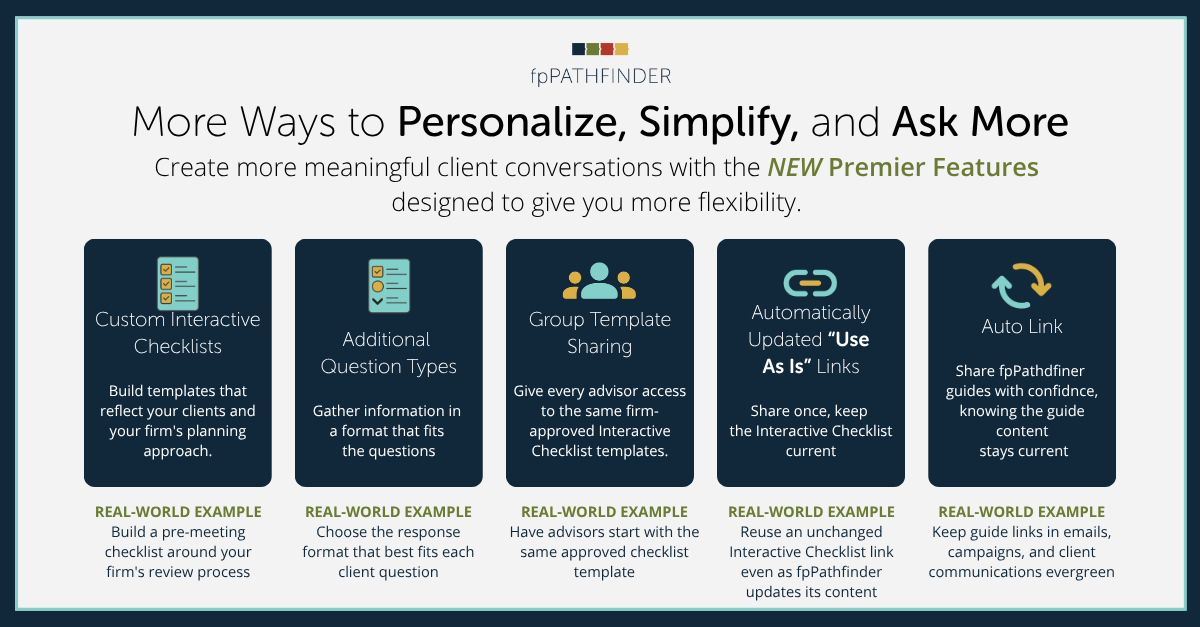
More flexibility. Less busywork. Better client conversations.
At fpPathfinder, we're always looking for ways to help advisors save time, uncover planning opportunities, and have more meaningful client conversations.
And some of our best ideas come directly from you.
We've been collecting feedback from Premier members, listening to how you're using Interactive Checklists, and learning where you'd like more flexibility.
We heard you. And we're excited to introduce some powerful new features!
Premier members now have more ways to customize Interactive Checklists, share workflows across their teams, and spend less time maintaining their tools.
The goal? Give you more control over the questions you ask, without adding more work to your day.
Your Checklists. Your Clients. Your Way.
Whether you're preparing for an annual review, gathering information from a new client, or creating a consistent planning process across your firm, these new features help you make Interactive Checklists work the way you do.
Here's what's new!
1. Create Your Own Interactive Checklist Templates
Your planning process is unique. Now your interactive checklists can be, too.
We know that every advisor has their own approach to client conversations. While fpPathfinder's ready-to-use checklists provide a great starting point, sometimes you want to ask questions specific to your clients or your firm's process.
Now you can!
With Custom Interactive Checklists, Premier members can build their own interactive checklists around the questions they want to ask.
2. More Question Types. More Ways to Personalize.
Not every client question you want to ask calls for a yes-or-no response.
You've asked for more flexibility in how clients respond to questions. Now, Premier members can choose from additional question types when building custom interactive checklists or using fpPathfinder-provided Interactive Checklists.
This gives you more options to:
- Ask better questions that fit the information you're trying to gather.
- Personalize the client experience around your planning approach.
- Prepare for more focused conversations with relevant client information in hand.
3. Share Templates. Create Consistency Across Your Firm.
Great planning conversations shouldn't require every advisor to start from scratch.
For Premier groups, we're introducing the ability to share saved Interactive Checklist templates.
Now your team can build a checklist once and share that template with other advisors in your group.
That means:
- Less time recreating the same checklists.
- More consistent questions and planning processes across your team.
- A repeatable starting point for client conversations.
4. Share Once. Keep Your Checklist Current.
One less thing to maintain. One more way to save time.
We know how valuable it is to have tools that stay current without requiring constant updates.
That's why we're bringing automatic updates to eligible Interactive Checklist links!
If using an fpPathfinder interactive checklist provided template, when you select "Use As Is", (without changing the questions on the fpPathfinder-provided checklist), your link will automatically reflect future fpPathfinder updates to that checklist.
The same link remains available until it expires, is deleted, or, when applicable, completed by your client.
No need to recreate or replace the link each time the underlying checklist is updated.
Built From Your Feedback. Designed for Better Conversations.
These improvements are about more than adding new features.
They're about giving you the flexibility to personalize your planning process while keeping the efficiency and consistency that make fpPathfinder valuable.
With these new Premier features, you can:
- Personalize the questions you ask and the information you gather.
- Prepare for more productive client conversations.
- Standardize your planning workflows across your firm.
- Save time creating, sharing, and maintaining checklists.
And we'll continue listening.
Your feedback helps us understand how advisors use fpPathfinder in their day-to-day work and where we can make the experience even better.